

The best Rocket.Chat alternative depends on one decision: do you still want to run your own servers? If yes, look at Mattermost, Zulip or Element, which can all be self-hosted. If you would rather nobody on the team ran infrastructure, look at hosted tools such as Slack, Microsoft Teams or SphereOne. SphereOne is hosted only; it cannot be self-hosted.
This guide sets out that trade-off plainly, says who should stay on Rocket.Chat, and compares six alternatives. Facts are as of October 2026 and come from each vendor's own site. We link to pricing pages rather than quoting prices, which change often.
Why do teams look for Rocket.Chat alternatives?
Rocket.Chat is a capable platform. Its code is open source on GitHub, it runs on your own infrastructure or in an isolated network, and it adds customer messaging through a Livechat widget, email and WhatsApp from one agent workspace (Rocket.Chat docs). Teams usually start looking elsewhere for one of four reasons:
- The upkeep. Someone has to install updates, apply security patches, watch disk space, test backups and answer the phone when the server is down. In a small company that is often one person, on top of their real job.
- The Starter limit. Rocket.Chat's free Starter workspace supports up to 50 users. If you go over, Rocket.Chat says the workspace is restricted from adding new users, though existing users and data stay accessible (Rocket.Chat's evaluation guide).
- Scope. Rocket.Chat is strong on messaging and customer engagement. Teams that also want scheduled meetings, a shared calendar, file storage and tasks in the same place end up adding more tools.
- The person who set it up left. A self-hosted server without its administrator is a risk that grows every month nobody patches it.
Hosted vs self-hosted: what is the real trade-off?
Self-hosting is not free just because the software is. You trade a subscription for staff time, servers and responsibility. Hosting is not automatically safer either; you trade control for a vendor you have to trust. The table sets out what each model asks of you.
| Factor | Self-hosted | Hosted |
|---|---|---|
| Who runs the servers | Your team or a contractor | The vendor |
| Updates and patches | You schedule and test them | Applied by the vendor |
| Where data lives | Your servers or your cloud account | The vendor's cloud |
| Isolated or offline networks | Possible | Not possible |
| Customizing the code | Possible with open source | Limited to settings and APIs |
| Time to start | Days to weeks | Minutes |
| When it breaks at 2 AM | Your problem | The vendor's problem |
| Main hidden cost | Staff time and expertise | Dependence on one vendor |
Who should stay on Rocket.Chat?
Switching has a cost, and for some teams Rocket.Chat is the better fit. Stay if most of these are true:
- You must self-host. A contract, a regulator or your own policy requires that messages stay on infrastructure you control, or in an air-gapped network. Rocket.Chat lists on-premises, private cloud and air-gapped deployments on its paid plans (Rocket.Chat pricing).
- You talk to customers from the same system. If your support team uses the Livechat widget, email and WhatsApp channels, moving means replacing a contact center as well as a chat tool.
- You federate with partners. Rocket.Chat supports Matrix federation, where each organization keeps its own infrastructure and data.
- You have an administrator. Someone with time and skill already runs the server well, and it has backups you have actually restored.
If those apply, the better move may be a paid Rocket.Chat plan, or its dedicated cloud hosting, rather than a new tool.
How we chose
- Hosting model: self-hosted, hosted, or both, and how much work each takes.
- The daily basics: channels, direct messages, threads, search and calls.
- Admin control: roles, single sign-on, audit records and data export.
- Free tier limits: users, history and features you lose before paying.
- Fit for a small or mid-size business: setup effort without a dedicated IT team.
The best Rocket.Chat alternatives in 2026
1. SphereOne (hosted)
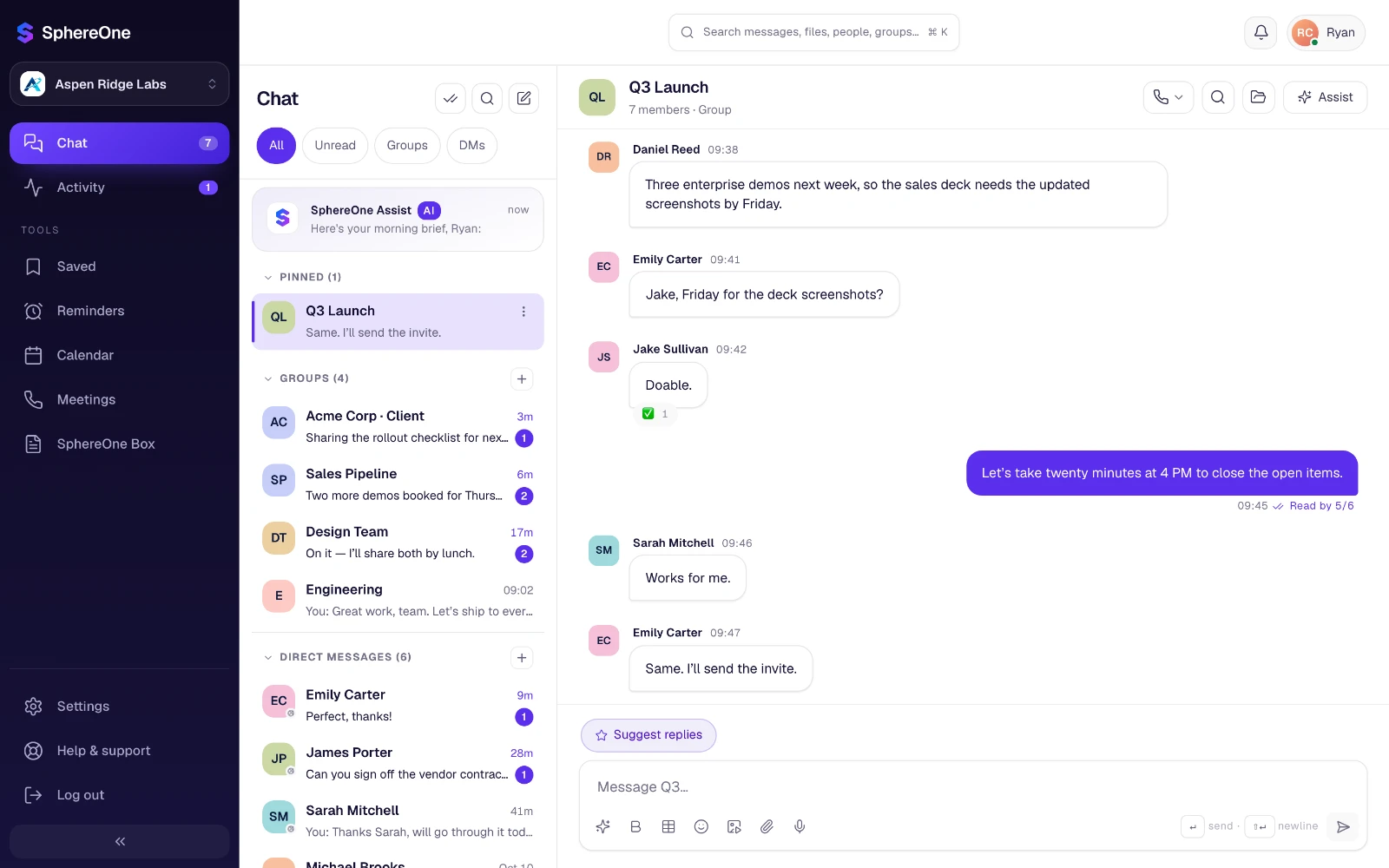
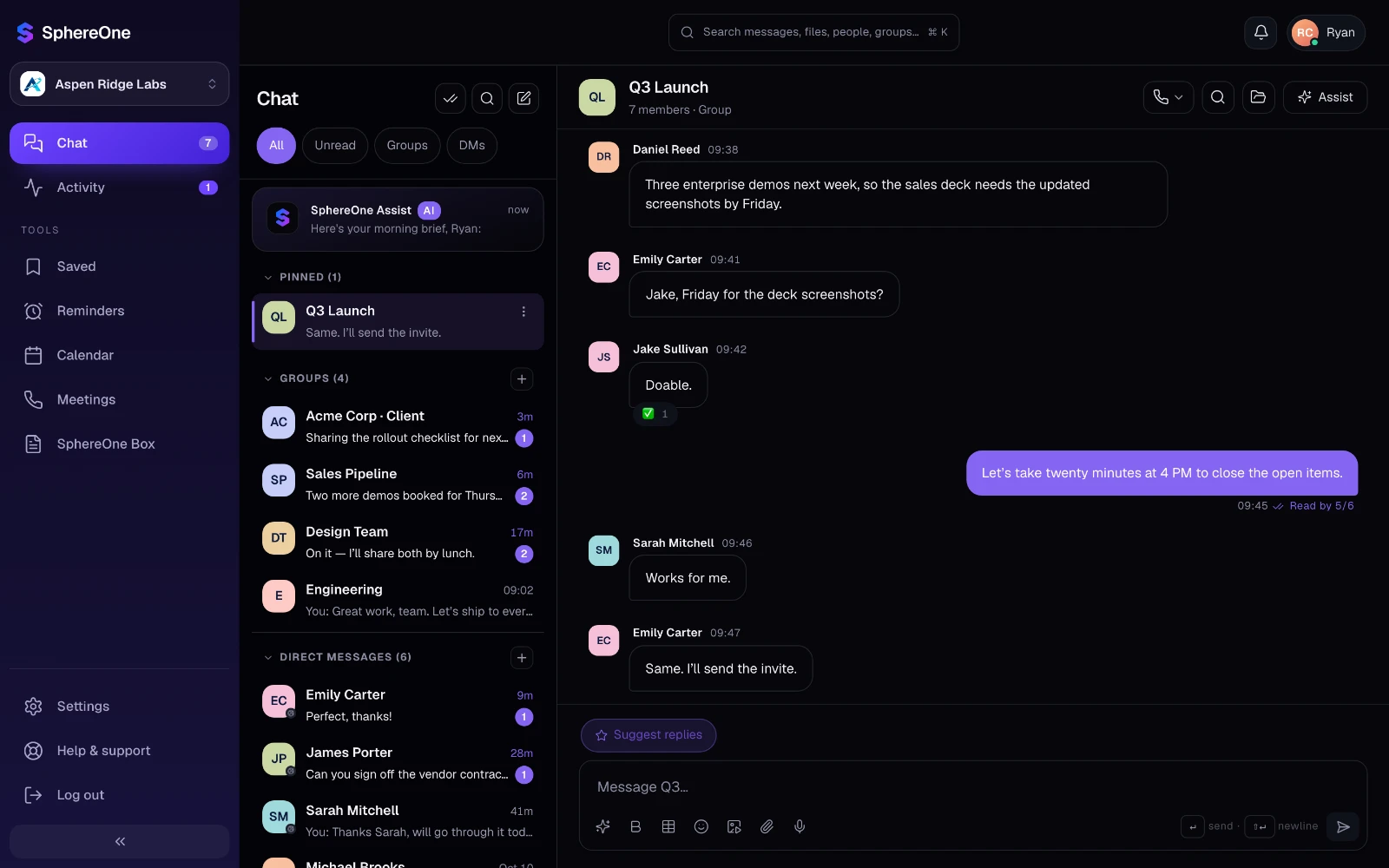
What it is: an AI-native workspace with team chat, video calls and meetings, files (SphereOne Box), a calendar, tasks and client rooms in one workspace the business owns, plus SphereOne Assist, an AI assistant inside every conversation. It runs in the browser and as desktop apps for Mac and Windows.
Best for: teams leaving Rocket.Chat because of the upkeep, not because of the features. Nobody on your side runs servers, and the business still owns the workspace and its history. Admins get roles, two-step sign-in, single sign-on with SAML 2.0 or OpenID Connect on Business and up and data export on Starter and up. Data is encrypted in transit and at rest.
What to know: SphereOne is a hosted service. It is not open source and cannot run on your servers or in an isolated network, so if self-hosting is a hard requirement it is the wrong choice. There is no Rocket.Chat importer and no website chat widget for customer support; clients join as client accounts in their own rooms instead. The Free plan covers 10 people with 30 days of history and no AI; Assist is included on Starter and up. See admin and security.
2. Mattermost
What it is: self-hosted team chat popular with engineering and operations teams, with a free edition and several paid ones.
Best for: technical teams that want to keep self-hosting and like a developer-friendly tool.
What to know: the default free edition, Mattermost Entry, shows only the most recent 10,000 messages across all channels; older messages stay in the database but aren't viewable or searchable. Mattermost says Entry is best suited to teams of fewer than 50 users. The open source Team Edition is meant for small teams, hobbyists or personal use under 250 activated users (Mattermost editions). Our Mattermost alternatives guide covers the limit in detail.
3. Zulip
What it is: open source chat where every conversation has a topic inside a channel. You can self-host it or use Zulip Cloud.
Best for: asynchronous teams, such as engineering and research groups, that run many discussions in parallel.
What to know: the topic model takes adjustment. Zulip Cloud's free plan keeps 10,000 messages of search history and 5 GB of file storage in total. Self-hosted Zulip includes every feature for free, but mobile push notifications are free for up to 10 users unless your organization qualifies as an eligible community (Zulip plans).
4. Element
What it is: chat built on the open Matrix protocol, so each organization runs its own server and can still talk to others on Matrix.
Best for: public-sector and security-focused organizations, and teams that federate with partners, which is one of the reasons people choose Rocket.Chat too.
What to know: Element's plans are self-hosted. The free Community edition is for non-professional deployments and evaluations of up to 100 users, Enterprise starts at 100 users, and Sovereign covers air-gapped installs (Element pricing). Running a Matrix homeserver is real infrastructure work.
5. Slack
What it is: hosted, channel-based chat owned by Salesforce, with a large app directory, Workflow Builder and Slack Connect for channels shared with other companies.
Best for: teams ready to stop running servers that want the widest choice of integrations.
What to know: Slack is hosted only. On the Free plan, messages and files can be viewed and searched for 90 days, and data older than one year is deleted on a rolling basis (Slack's update). Paid plans are on Slack's pricing page.
6. Microsoft Teams
What it is: chat and meetings inside Microsoft 365, hosted by Microsoft and tied to Outlook, SharePoint and OneDrive. It is also sold on its own as Teams Essentials.
Best for: organizations already paying for Microsoft 365 that need large meetings and Microsoft compliance tools.
What to know: it cannot be self-hosted, and teams often find the interface busy and files split between SharePoint and OneDrive. See Microsoft's business plans.
Rocket.Chat alternatives compared
| Tool | Self-hosted? | Best for | What to know |
|---|---|---|---|
| Rocket.Chat | Yes; vendor hosting on paid plans | Chat plus customer messaging | Free Starter caps at 50 users |
| SphereOne | No, hosted only | Chat, meetings, files and clients in one place | Free: 10 people, no AI |
| Mattermost | Yes | Technical teams | Entry shows the latest 10,000 messages |
| Zulip | Yes, or Zulip Cloud | Async teams with many topics | Cloud Free search stops at 10,000 messages |
| Element | Yes | Public sector, Matrix federation | Community edition is not for production |
| Slack | No | Integration-heavy teams | Free plan deletes data after one year |
| Microsoft Teams | No | Microsoft 365 organizations | Part of Microsoft 365, or Essentials |
How do I move off Rocket.Chat?
Whichever tool you pick, plan the move before you switch anyone over. Rocket.Chat lets you export a room's messages as a JSON file or by email (Rocket.Chat room options), which gives you an archive of what was said. A checklist that works for most small teams:
- List your rooms and mark each one: keep active, archive only, or retire.
- Export the rooms marked keep or archive, and store the files where the business controls them, not on one laptop.
- Take a full server backup as well, and confirm someone can restore it.
- Set up the new workspace, recreate the rooms you are keeping and invite people.
- Pick a switch-over day, post the date in every active room a week ahead, and pin it.
- On the day, make the old rooms read-only and post a link to each room's new home.
- Keep the old server readable for a few months, then shut it down once nobody has needed it.
Our chat migration checklist covers the people side of a switch: who announces it, how to handle stragglers, and how long to run both tools.
Where SphereOne fits
SphereOne is for the team that picked Rocket.Chat for control and is now tired of being its own hosting company. The business owns the workspace, history stays when people leave, and meetings, files, calendar, tasks and client rooms sit next to chat, so there is one tool to secure and pay for instead of several. Message history by plan: Free 30 days, Starter 1 year, Business unlimited and Enterprise unlimited.
Starter is US$8 and Business US$15 per person per month, billed monthly, and there is a 14-day trial of Business. Our post on who owns your company conversations explains why ownership matters as much as hosting.
The bottom line
If you must self-host, Rocket.Chat is still a strong choice, and Mattermost, Zulip and Element are the alternatives to test. If the real problem is the server itself, a hosted tool removes it: Slack for integrations, Microsoft Teams if you live in Microsoft 365, and SphereOne if you want chat, meetings, files and clients in one workspace your business owns. Decide the hosting question first, and the shortlist follows.
Compare plans on pricing, start free, or book a demo to see SphereOne with your own team.