

Invoice your clients where you already work with them.
Raise the invoice, get it signed and record the money in the same SphereOne workspace where you chat, meet and share files with each client. There is no separate invoicing app to learn, and nothing to type twice.
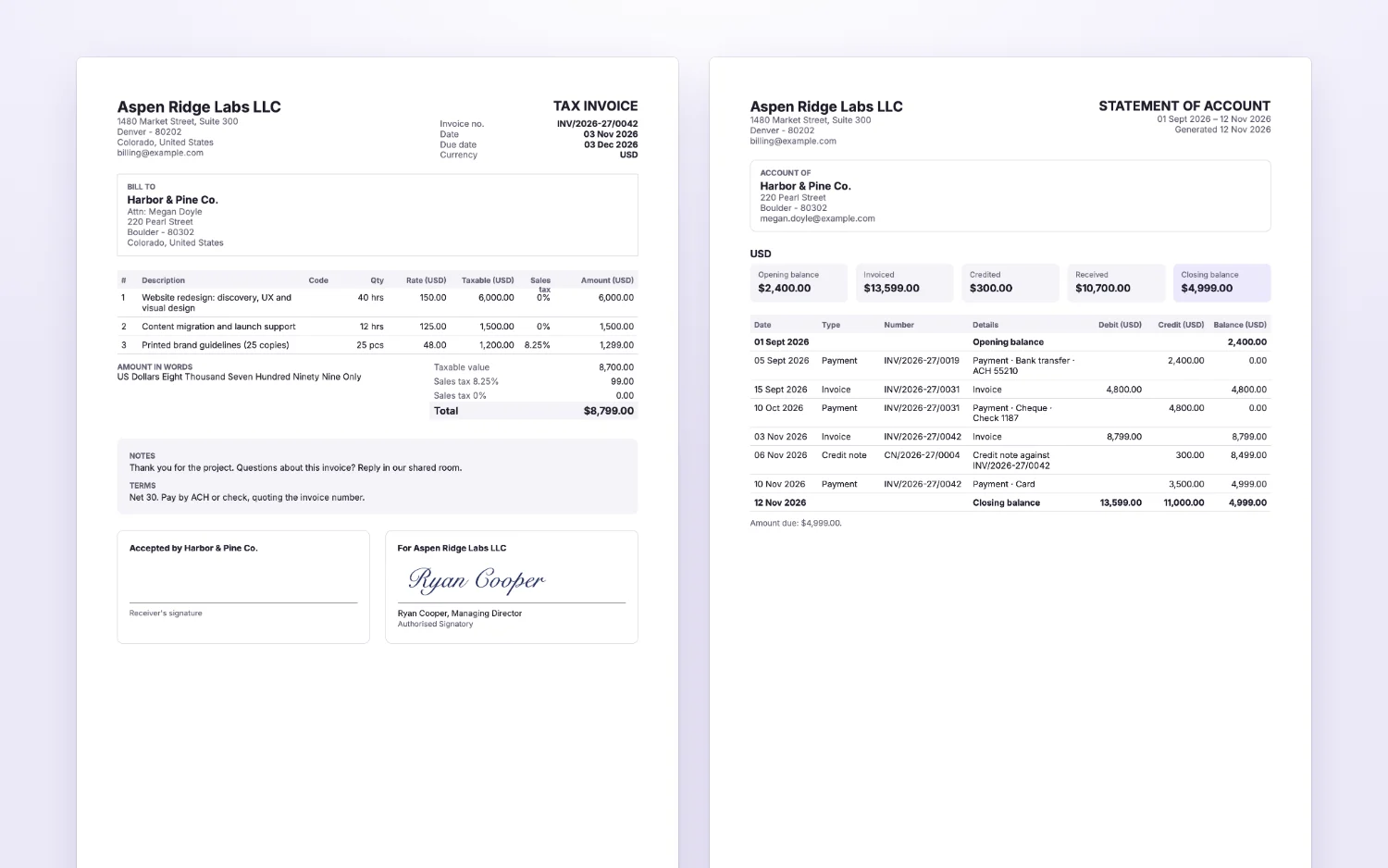
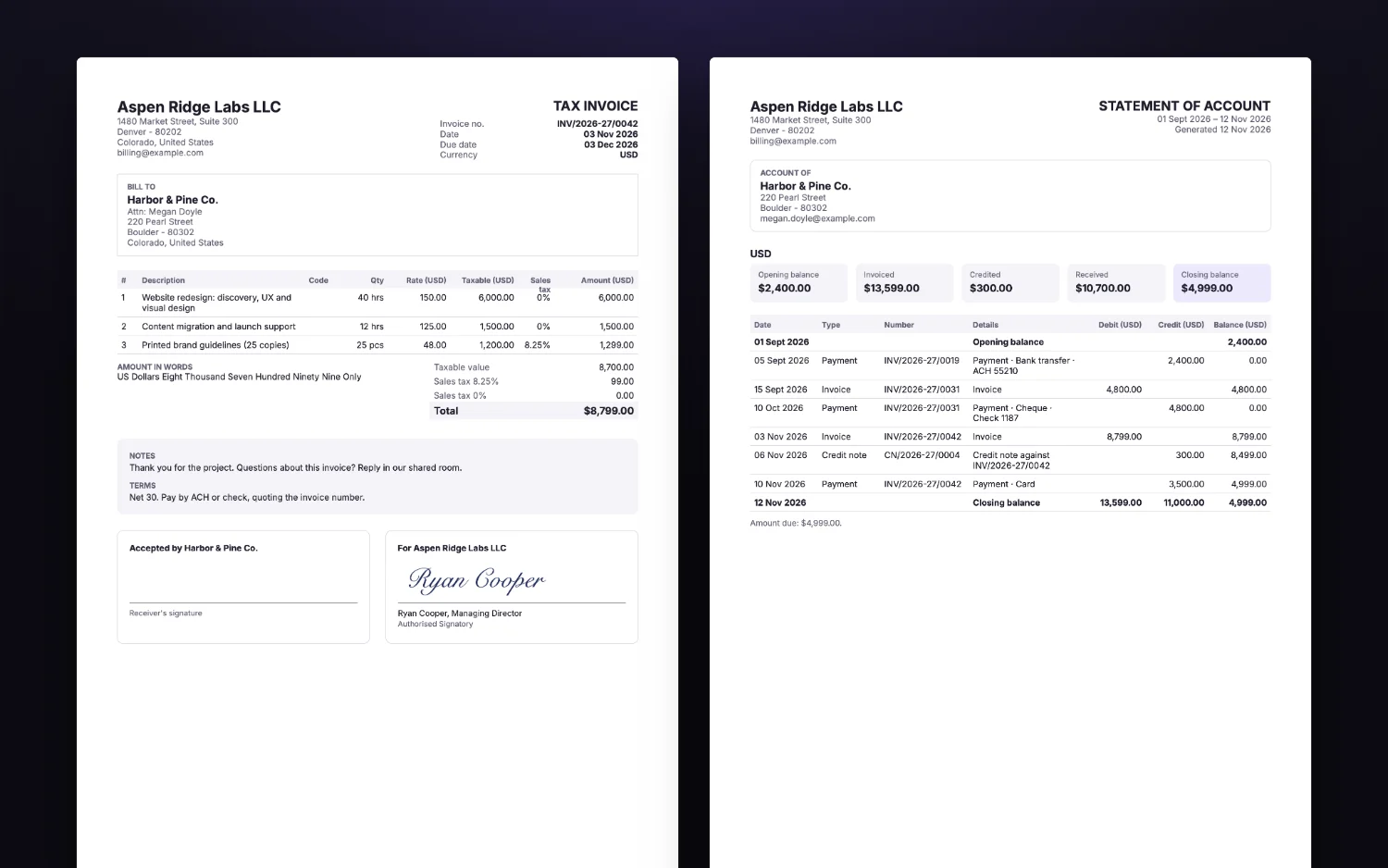
From the first invoice to the last payment
Customers, invoices, credit notes, payments and statements, in Settings for workspace admins.
Who bills from SphereOne
Agencies and studios
The client’s room already holds the brief, the feedback and the final files. The invoice goes out from the same workspace, and the signed copy comes back where it was sent.
Consultancies and firms
Partial payments and credit notes keep each client’s balance straight, and a statement for any period answers “what do we owe?” in one email.
Businesses billing across borders
Bill one client in US dollars and another in euros or rupees. Balances and statements are kept per currency, so nothing is converted behind your back.
Why invoice inside the workspace
Most teams keep client conversations in one tool and invoices in another. SphereOne keeps them together.
- Guests you already work with become customers in one click, so names and emails are never typed twice.
- Clients sign the invoice from a link, and the signed copy comes back to both sides, with no separate e-signature subscription.
- Every invoice, credit note and payment for a customer sits in one profile, with a ledger for any period.
- Share the signing link in the client’s room, or let the invoice email carry it.
What each plan includes
Invoicing is on Enterprise, or as an add-on the SphereOne team turns on for a workspace on another plan. Compare all plans.
| Capability | Free | Starter | Business | Enterprise |
|---|---|---|---|---|
| Invoices, credit notes and payments | Add-on | Add-on | Add-on | Included |
| Statements and the aging report | Add-on | Add-on | Add-on | Included |
| E-signatures on invoices | Add-on | Add-on | Add-on | Included |
Questions about invoicing
Which plans include invoicing?
Invoicing is on Enterprise, or as an add-on the SphereOne team turns on for a workspace on another plan. It lives in Settings, under Invoicing, for workspace admins.
Which currencies and taxes does it handle?
Any ISO currency. For tax, choose India GST, where CGST and SGST or IGST follow from the place of supply; one named tax such as VAT or sales tax at a rate per line, with reverse charge when the client accounts for the tax; or no tax. SphereOne doesn’t file returns or register invoices with a tax authority, so confirm your local invoicing rules with your accountant.
How are payments recorded?
Record each payment you receive against its invoice, in part or in full, with the date, the method (bank transfer, UPI, card, cash, check or other) and a reference. SphereOne doesn’t take card payments itself; your bank or payment details print on the invoice.
What if an invoice has a mistake?
An issued invoice is locked, so its number and amounts can’t change. Raise a credit note for part or all of what is left, or cancel the invoice if no money has come in. A payment recorded by mistake is voided with a reason and stays on record.
Can we bring our existing customers?
Yes. Import a CSV of up to 2,000 customers at a time, add them one by one, or turn guests in your workspace into customers.
More of the workspace
Everything shares one directory, one search and one assistant.
Bring invoicing to your team
Talk to our team about your plan, or book a half-hour walkthrough.